

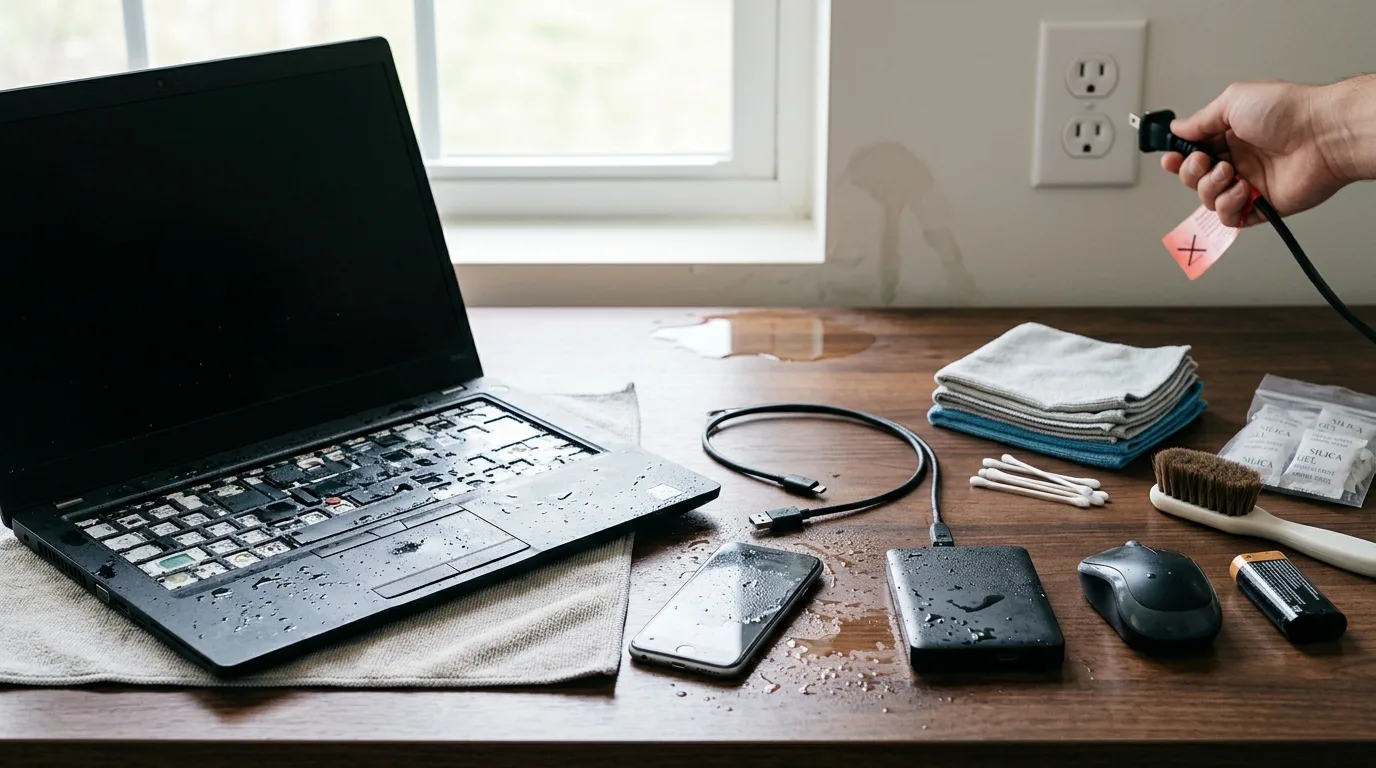
When water is coming through the ceiling or a pipe has burst, cut power to the electronics right away so they don't get wet and fail, and if you need to, shut off the electricity altogether. If water is reaching the outlets, it is better to switch off the power at the breaker panel immediately, if you can reach it without standing in water, so that nobody gets a shock. Only then figure out where the water is coming from.
A laptop that got water, coffee or alcohol in it is a common reason for a visit to a computer repair shop. Phones, TVs and other water damaged electronics end up there for the same reason. Below is what happens to a device once liquid gets inside, how to save water damaged electronics, and what not to do. If the leak soaked more than a couple of devices, the room itself also needs professional water damage restoration for the home.
Unplug It and Do Not Power It On
Personal safety comes first, the device second. Ready.gov gives two plain rules for this situation, and they are worth repeating before anything else.
Do not touch electrical equipment if it is wet or if you are standing in water. Turn off the electricity if it is safe to do so. (Source: Ready.gov's flood safety page.)
Once you are not standing in water and the power is off, act in this order:
- Unplug the device. If the water only got onto the keyboard of a laptop, you can just pull the plug out of the outlet. Don't touch the outlet itself with your hand, and pull the cord so you don't accidentally touch the metal part of the plug.
- Turn it off. The easiest way is a long press on the power button. Another option is to detach the battery pack, if that doesn't require taking the laptop apart.
- Turn a laptop keyboard side down. Try to do it in one sharp move so the water moves around inside as little as possible. This lets the liquid run out through the gaps between the keys. It is better to switch off and flip the laptop at the same time: the sooner current stops running through the device, the better the chance of avoiding a short circuit.
- Disconnect everything external. If a flash drive, modem or cable is plugged in, take it out. If you haven't removed the battery yet, do it now. Keep the laptop keyboard side down, parallel to the floor.
- Wipe off the moisture. Blot the keyboard with a lint-free cloth. Wipe each key and the ports.
With a phone the order is about the same. Get it out of the water as fast as possible: the longer the device is in contact with water, the fewer chances it has to stay undamaged. Shut it off by holding the power button, which lowers the chance of a short circuit. If the phone has a removable battery, pull it out right away without wasting time on shutting down, and leave the phone taken apart. If the battery is not removable, don't try to open the phone to get to it. Take off the case, bumper and other accessories, water has almost certainly gotten into the case too, and the phone dries faster without it. Remove the SIM card and memory card.
What Happens Inside a Wet Device
In laptops, repair shops usually find a few problems.
Short Circuit
Picture a two-way road with heavy traffic. Then someone breaks the lane markings and sends the flows toward each other, forming a loop. There's a crash. A short circuit works roughly like that: water breaks the "route" of the current inside the device and creates new paths for it that should not exist.
A short circuit can happen from a couple of drops of water that "luckily" made it to the board. But as a rule this problem appears when more liquid was spilled, at least half a cup. Under a ceiling leak, of course, it can be much more.
Oxidation of the Contacts
This is a chemical process that starts when liquid gets onto contacts, for example on the battery pack or at the joints between the main board and other parts. Small "growths" start to appear on the contacts, and they keep current from passing freely between the parts of the laptop. The closest analogy is rust appearing on metal.
The contacts suffer mostly not from clean water but from other liquids. Oxidation usually does not cause problems if the contacts are cleaned in time.
Physical Damage While Taking It Apart
People often break a laptop themselves when they try to take it apart and dry it. Sometimes this is done to clean the contacts. Unlike ordinary desktop towers, almost any of which comes apart the same way, laptops are built in a more complicated way. Mostly because of the screen, which connects to the main board with fairly fragile, thin ribbon cables. These "wires" are easy to tear just by removing the laptop's cover.
Drying
Even if you wiped everything dry, there is still water inside the laptop. If you don't know how to take the device apart, it's better to leave everything as it is and let the water evaporate naturally. The device must not be turned on during this time. A full drying takes two to three days.
A phone needs at least 48 hours, better longer. After about 24 hours, carefully stand the phone upright with the USB port down so the remaining liquid can drain out through it. Don't try to shake the moisture out of the device with sharp movements.
What not to do while things dry:
- Don't try to turn it on early. Not until at least two days have passed. Otherwise, if even a bit of water is left inside, a short circuit is more than likely and all your effort will be wasted.
- Don't plug a wet device into power. Same reason as above. Wait 48 hours and only then try to turn on and charge it.
- Don't move it without need. Don't press the buttons and don't blow into it. Because of this, water can spread all over the device.
- Don't use heaters or hair dryers. Too much heat can damage the device. With a laptop, a hair dryer or a fan also pushes the water around the board's components and mixes it with the dust inside. This can potentially lead to corrosion on the board.
The room the devices stood in has to dry too. How that is done on a building scale is covered in our guide on dehumidifiers the pros use for structural drying.
If a device with a lithium-ion battery got soaked, watch it while it dries. Stop using a lithium-ion battery if you notice an odor, a change in color, too much heat, a change in shape, leaking or odd noises; keep such a device away from anything that burns and do not charge it.
The Rice Myth
Don't put the phone into a bowl of rice. Contrary to a widespread myth, rice, oats and other grains won't help remove the liquid from a smartphone. Moreover, if their small particles and husks get inside the device, they will only help it break down.
The same goes for water damaged electronics in rice of any size: the grain does not pull moisture out of a closed case. What actually dries a device is time, a dry place and air.
Corrosion and Dirty Water
Things are worse if what got into the device was not clean water. Leak water, tea, coffee, wine and other liquids all carry something with them. First the device must be cut off from power, then turned off.
After that, the device needs to be cleaned. Clean water can simply evaporate, but other liquids leave a residue behind. The residue can oxidize the contacts, and if dust collects on it, the temperature inside the laptop goes up. In the end, such changes will kill the main board or individual components.
So the laptop has to be cleaned before it is dried. If the phone is covered with silt, sand or dirt, put on gloves and carefully rinse off the dirt with clean distilled water to avoid corrosion. Do it under a thin stream, never put the device into a basin or sink. Then lay it on a dry flat surface and gently wipe the ports and the whole open surface with a microfiber cloth or a towel. Don't use paper, because its particles can stay inside the case.
Wet walls and floors around the electronics are a separate problem: if the room stays damp, it is worth reading about mold remediation after a leak.
What Is Usually Lost
A short circuit doesn't necessarily mean the device is completely dead: usually the main board burns, while the RAM or hard drive often survive. Or it may be just a fuse that blows, and then more time goes into taking the laptop apart and putting it back together than into the repair itself.
If a ribbon cable was damaged, it can be replaced. If the cable was ripped out together with the contacts, many models are easier to throw away: the board will cost about as much as a new device.
After drying, check whether the device works. If the laptop turns on, copy all important data right away. The device can break down for good at any moment, so take it to a repair shop for a check if you can.
If the dried phone won't turn on or works incorrectly, you will have to show it to a repair technician. The technician will clean it and may suggest replacing damaged parts.
Photos for Insurance
It is advisable to take a lot of photos of the damaged furniture, electronics, walls, floor and ceiling, and to shoot video. It's better to point the camera close up at stained drywall, a swollen floor and flooded electronics so that every detail of the damage is visible.
The insurer should be notified promptly; the exact deadline and method may be set by the policy. Then the claim is sent to the insurance company together with photos and video, the list of damaged property, proof of its value and other materials the policy requires. Check whether finishes, furniture and electronics are covered, and what caused the water damage. Don't rush the cleanup before everything is photographed: photos and proof of expenses become the main evidence.
If the furniture and electronics have to leave the house while the rooms dry, packout services for your belongings handle that part.
Professional Electronics Cleaning
After a leak, restoration crews often send soaked electronics to an electronics restoration specialist, who opens the devices, cleans residue and corrosion off the boards and tests them before anything is switched on. Ask about that before you power up a TV, a computer or a game console that sat in water.
Cleaning on your own, without an experienced technician watching, is not recommended. If there is a chance, it is better to take the flooded device to a repair shop. The cost of repair depends on which part exactly failed. Often the keyboard has to be replaced.
More on how leaks are handled in the house as a whole is on our water damage and restoration blog. Who does the work is on the about our restoration team page, what homeowners say is on the customer reviews of our work page, and the full list of services is on the Alpine restoration company home page.